Delete entries linked with GL entries
EnigmaERP prevents Nova Industries from deleting a cancelled invoice because its accounting and stock ledger rows form part of the audit trail. Deleting a transaction is different from cancelling it, and should be rare. First decide whether you only need to reverse the business effect, which cancellation already does.
Before enabling deletion#
- Confirm the document is cancelled and no statutory or audit rule requires it to remain.
- Take a backup and test in a non-production environment.
- Understand that deleting ledger rows reduces traceability and may allow the naming series number to be reused depending on configuration.
Enable the setting#
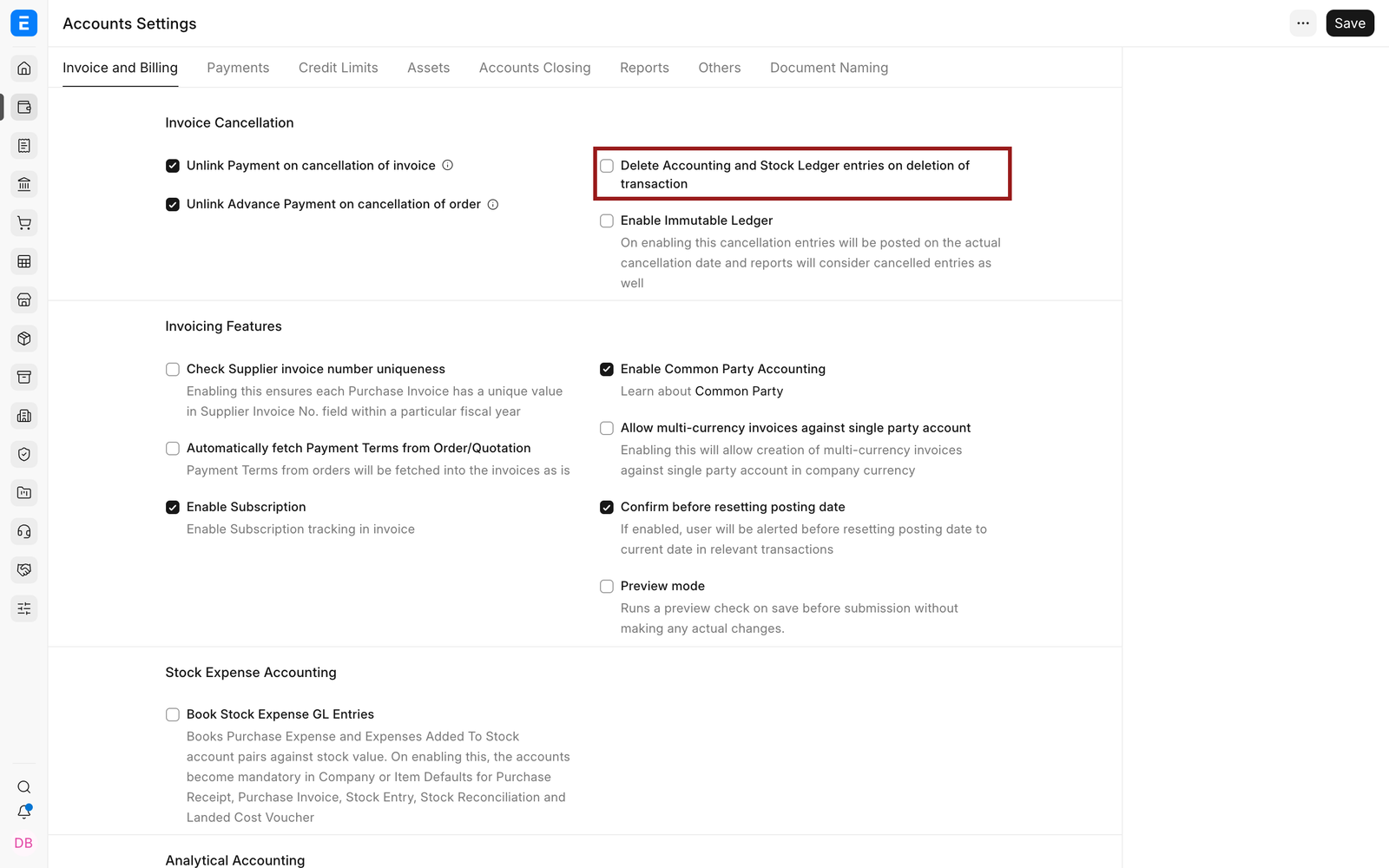
- Open Accounts Settings.
- Find Delete Accounting and Stock Ledger Entries on deletion of Transaction.
- Enable it, save, and reload.
- Delete only the intended cancelled document.
- Disable the setting again if it was approved for a one-time cleanup.
Troubleshooting#
The document is still linked#
Open the document’s links and identify dependent records, allocations, returns, or amendments. Remove or resolve dependencies in the correct business order. Do not delete database rows directly.
Frequently asked questions#
Should I delete an incorrect submitted invoice?#
Normally cancel and amend it. That preserves the original document, its reversal, and the correction for audit.
Related topics#
Adapted for EnigmaERP from the ERPNext documentation,
© Frappe Technologies Pvt. Ltd. Content licensed under
CC-BY-SA 3.0.
EnigmaERP is a product of Enigma and is not
affiliated with or endorsed by Frappe Technologies Pvt. Ltd.