Sorting Order in List View
Question: I want records in my Item List sorted based on Descending Order of Item Code.
Answers: Following are the steps to customize Sort Order for the Item master. These steps will be applicable for customizing Sort Order for the other documents as well.
Step 1: Go to Customize Form#
Home > Customization > Form Customization > Customize Form
Step 2: Select DocType#
Select document type for which Sort Order is to be customized.
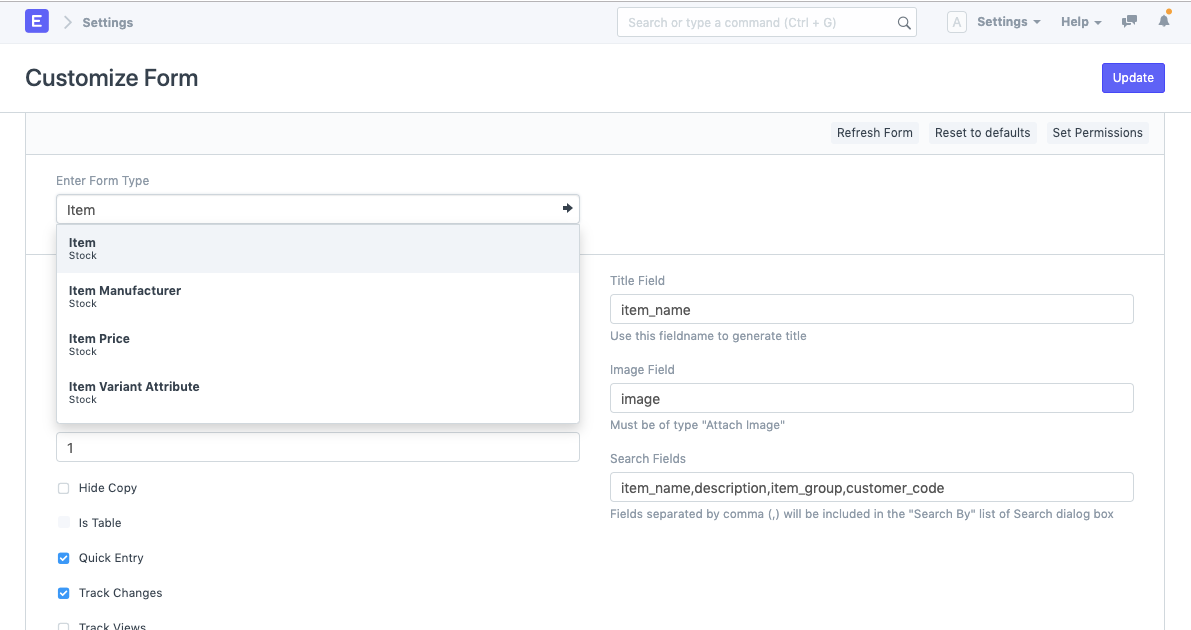
Step 3: Update Sort Details#
In the Customize Form, you will find these fields.
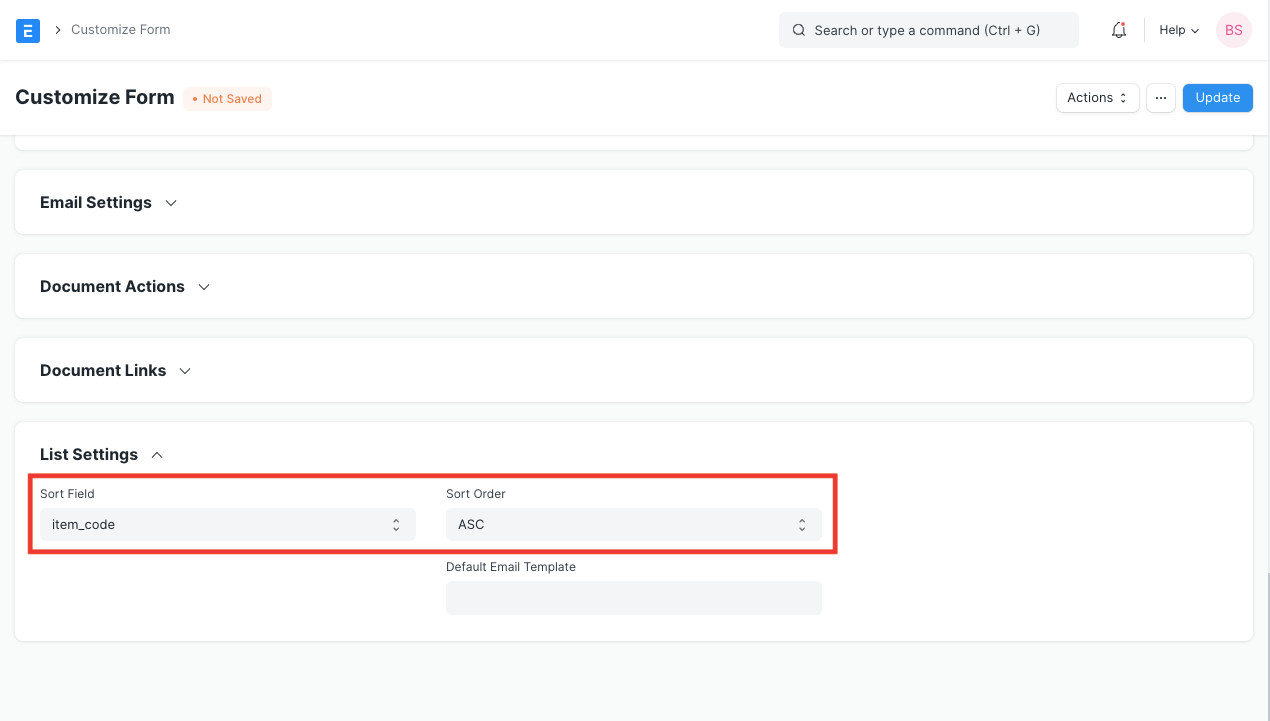
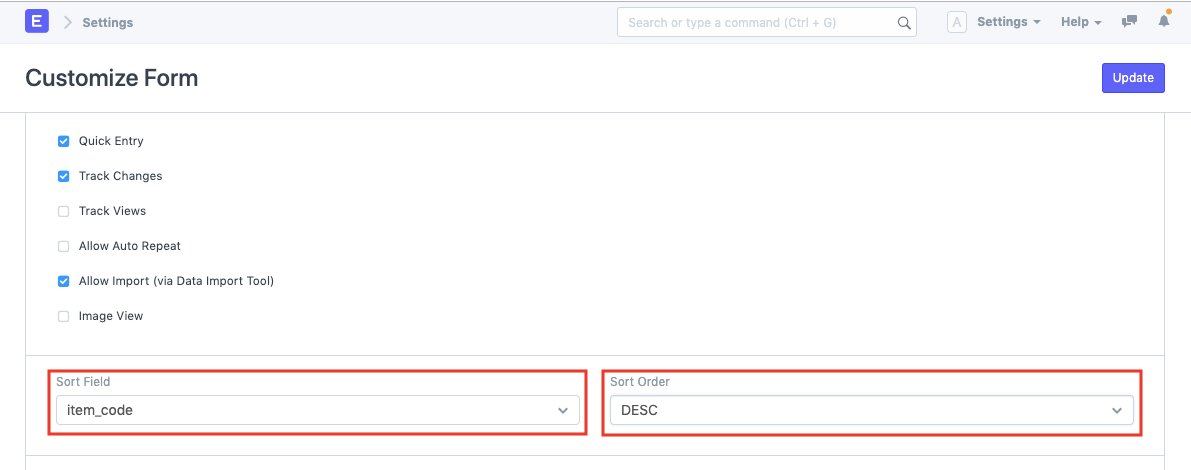
- Sort Field: Select the Field based on which sorting will be done. It will be "Item_Code" field in the scenario.
- Sort Order: Sort Order will be two possible options, Asc for ascending, and Desc for descending.
Adapted for EnigmaERP from the ERPNext documentation,
© Frappe Technologies Pvt. Ltd. Content licensed under
CC-BY-SA 3.0.
EnigmaERP is a product of Enigma and is not
affiliated with or endorsed by Frappe Technologies Pvt. Ltd.