Product Listing
EnigmaERP provides a product listing page where your customers can discover your products. It is enabled by default if you have published Website Items on your system.
You can go to the product listing visiting the /all-products route. For example,
https://apple.erpnext.com/all-products.
Actions are visible only on hovering over the card in the new Product Listing.
Here there are two views available that can be toggled:
Product List View#
The List View can hold additional data in it such as a short description which can be mentioned in the Website Item's Short Website Description field.
 Product List View
Product Grid View#
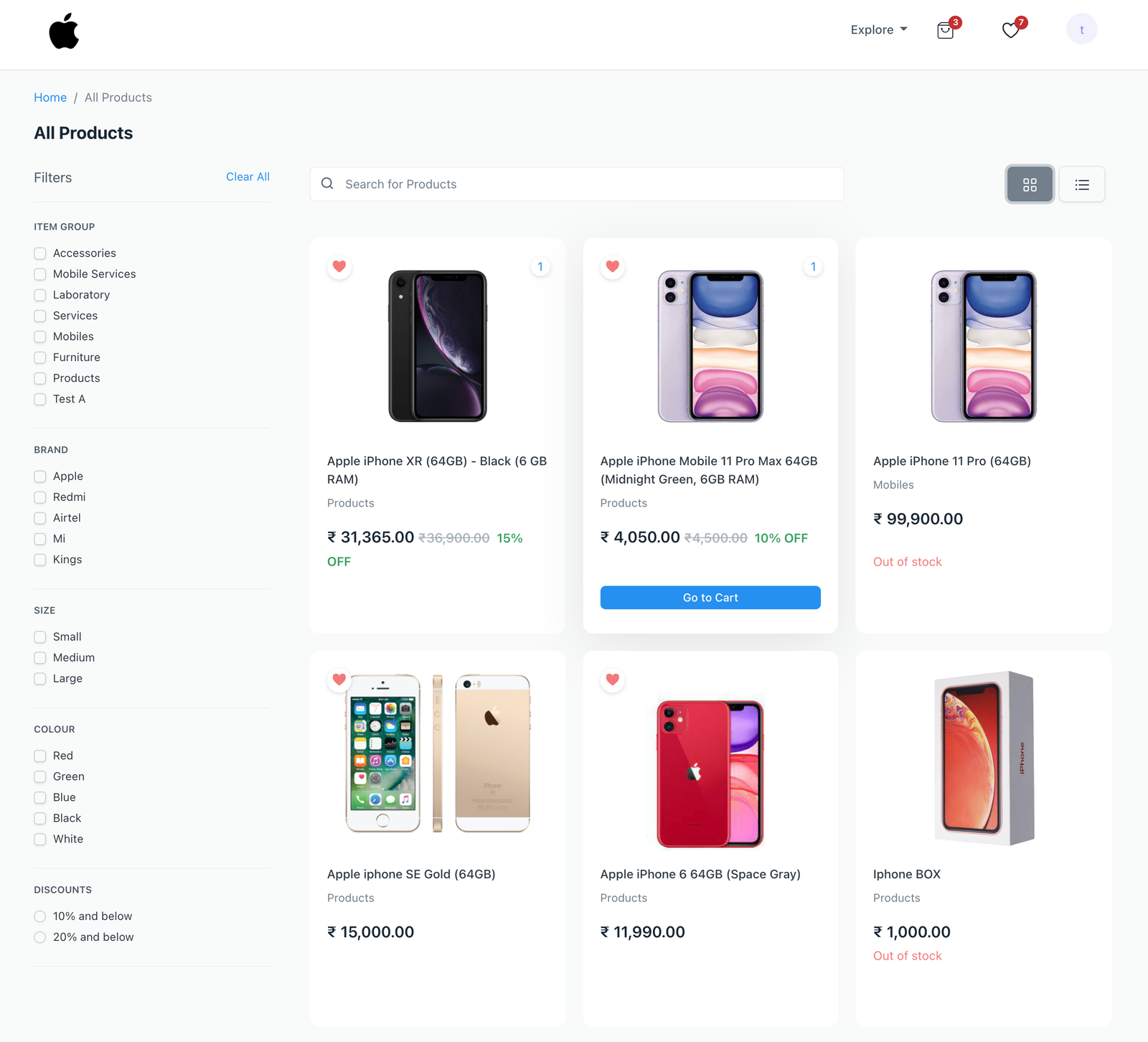 Product Grid View
Filters#
This page also shows filters alongside the products. There are three types of filters visible here: Field Filters, Attribute Filters and Discount Filters.
- Field Filters and Attribute Filters can be configured in the Filters and Categories section of E Commerce Settings.
- Discount Filters are automatically generated based on the discounts applied on the products. They do not require any configuration.