Country
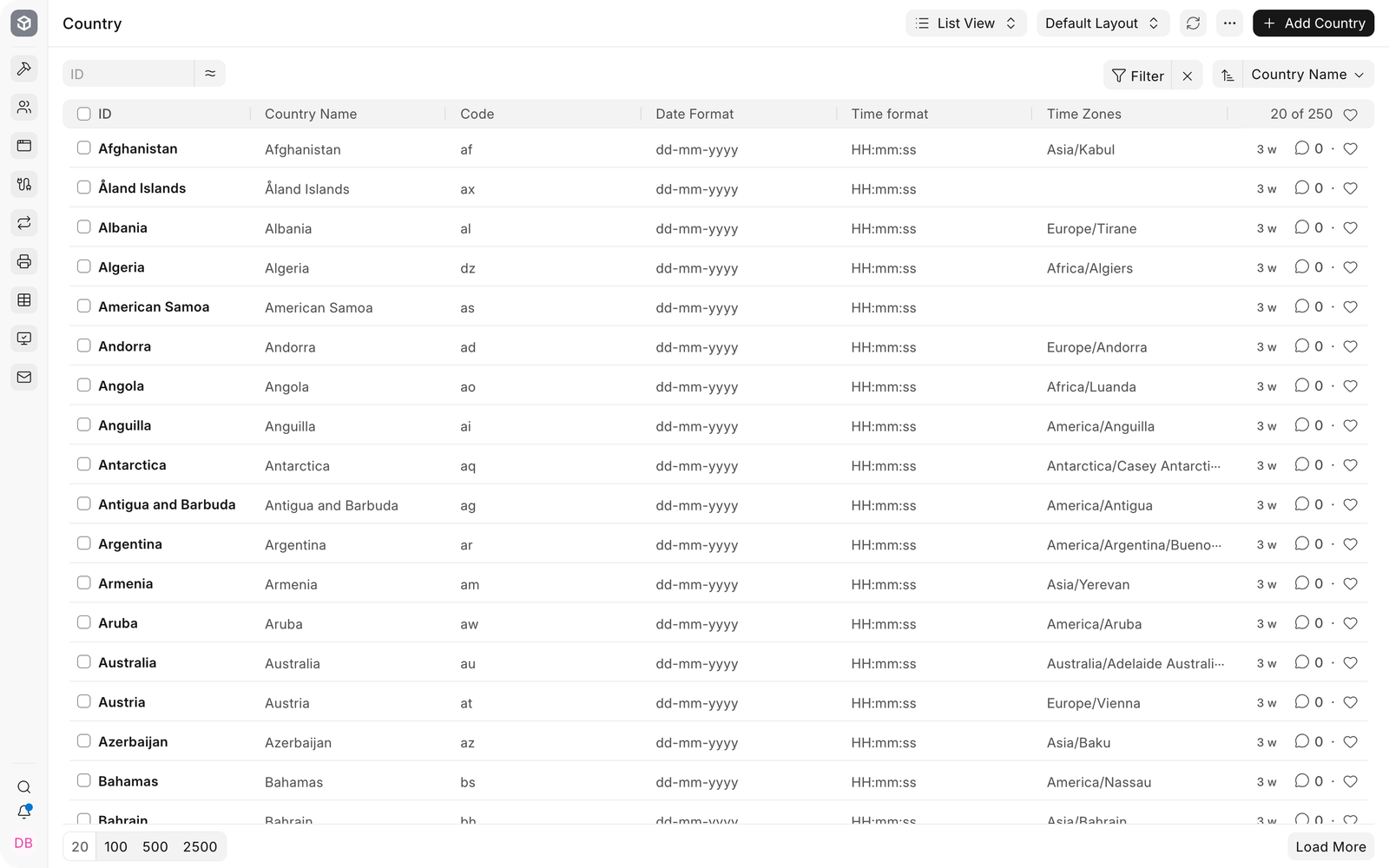
Country records provide shared localization defaults such as ISO code, date format, time format, and time zones. EnigmaERP includes a prepared country list, so administrators normally review the required record instead of creating a new one.
For Nova Industries in the United States, the Country record keeps US formatting available wherever EnigmaERP uses country-level defaults. Company, address, contact, and regional configuration can then refer to the same country consistently.
Open a Country#
Search for Country from the Awesomebar and open the list. Select the required record.
Review localization fields#
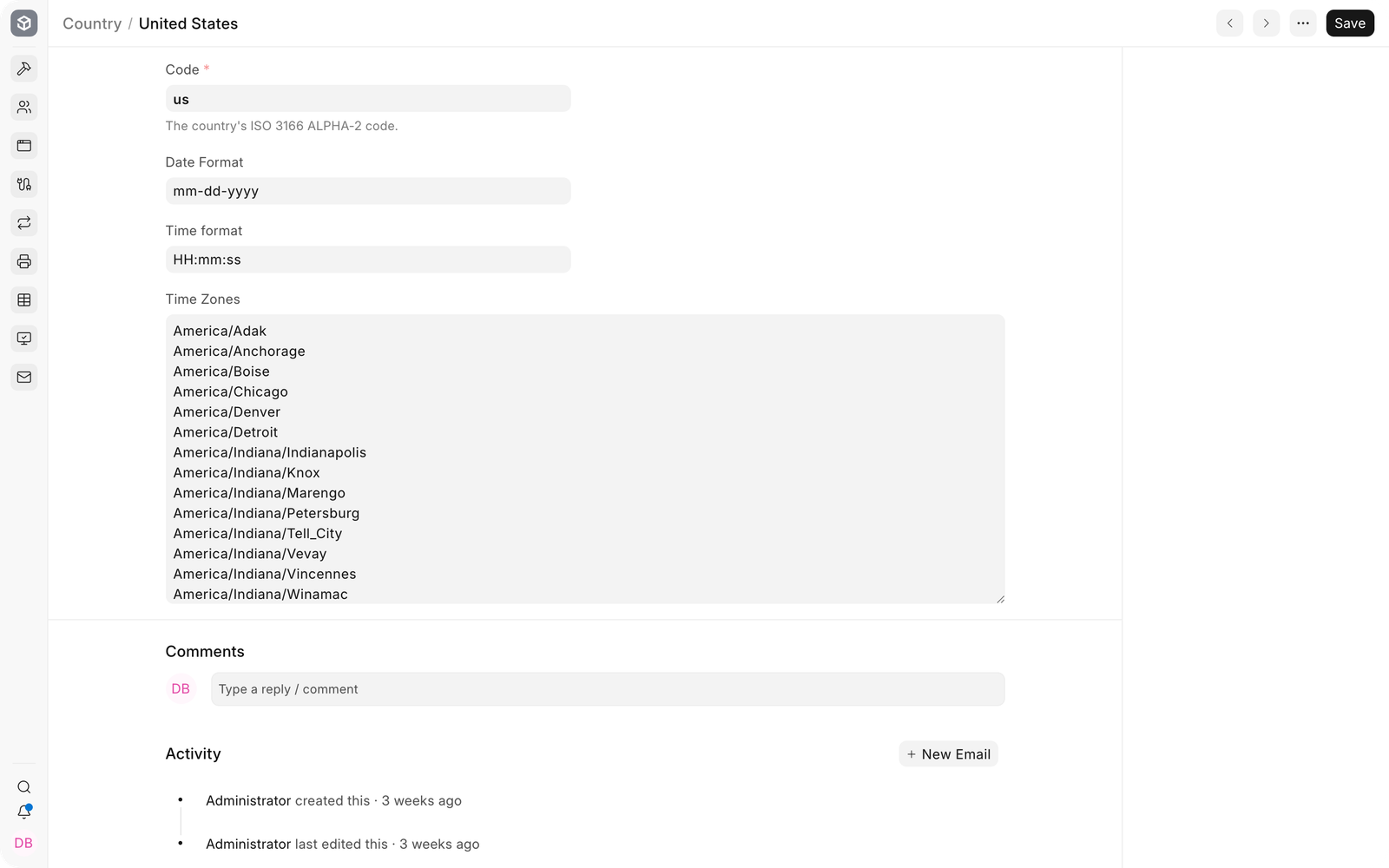
| Field | What it controls |
|---|---|
| Code | ISO 3166 alpha-2 country code used by integrations and structured data. |
| Date Format | Default date presentation associated with the country. |
| Time format | Default presentation of time values. |
| Time Zones | Recognized time zones for the country. |
Country versus system defaults#
The Country record stores country-level reference data. System Settings controls the site language, time zone, date format, and number format used by default. Global Defaults and user preferences can further determine what a user sees. Review all three when formatting is unexpected.
Troubleshooting#
The displayed date format is different#
Check System Settings and the user’s language or locale. Country reference data does not override every site or user-level display preference.
A regional feature is unavailable#
Country alone may not enable a localization. Confirm the Company country, installed regional app, Domain Settings, and any required tax or compliance setup.
Frequently asked questions#
Should I add a Country that already exists?#
Reuse the prepared record and correct it only when verified country reference data is incomplete or outdated.
Does changing Country convert existing transaction data?#
It changes reference or default behavior. It does not rewrite historical addresses, currencies, taxes, or ledger entries.