Create a Sales Invoice without an Item Code
Use inter-company drop shipping when one Company sells to a Customer while goods are supplied directly by another Company in the same EnigmaERP site. This combines the Drop Ship workflow with inter-company Customer and Supplier relationships.
Before you begin#
Create or confirm:
- Both Companies in the same site.
- An internal Customer representing the supplying Company.
- An internal Supplier representing the selling Company.
- Represents Company and internal-party settings on both masters.
- Items, Warehouses, Price Lists, taxes, and inter-company accounts.
- Permissions for both Companies.
Review Inter Company Invoices before using the workflow. Each Company remains a separate accounting entity.
Configure internal parties#
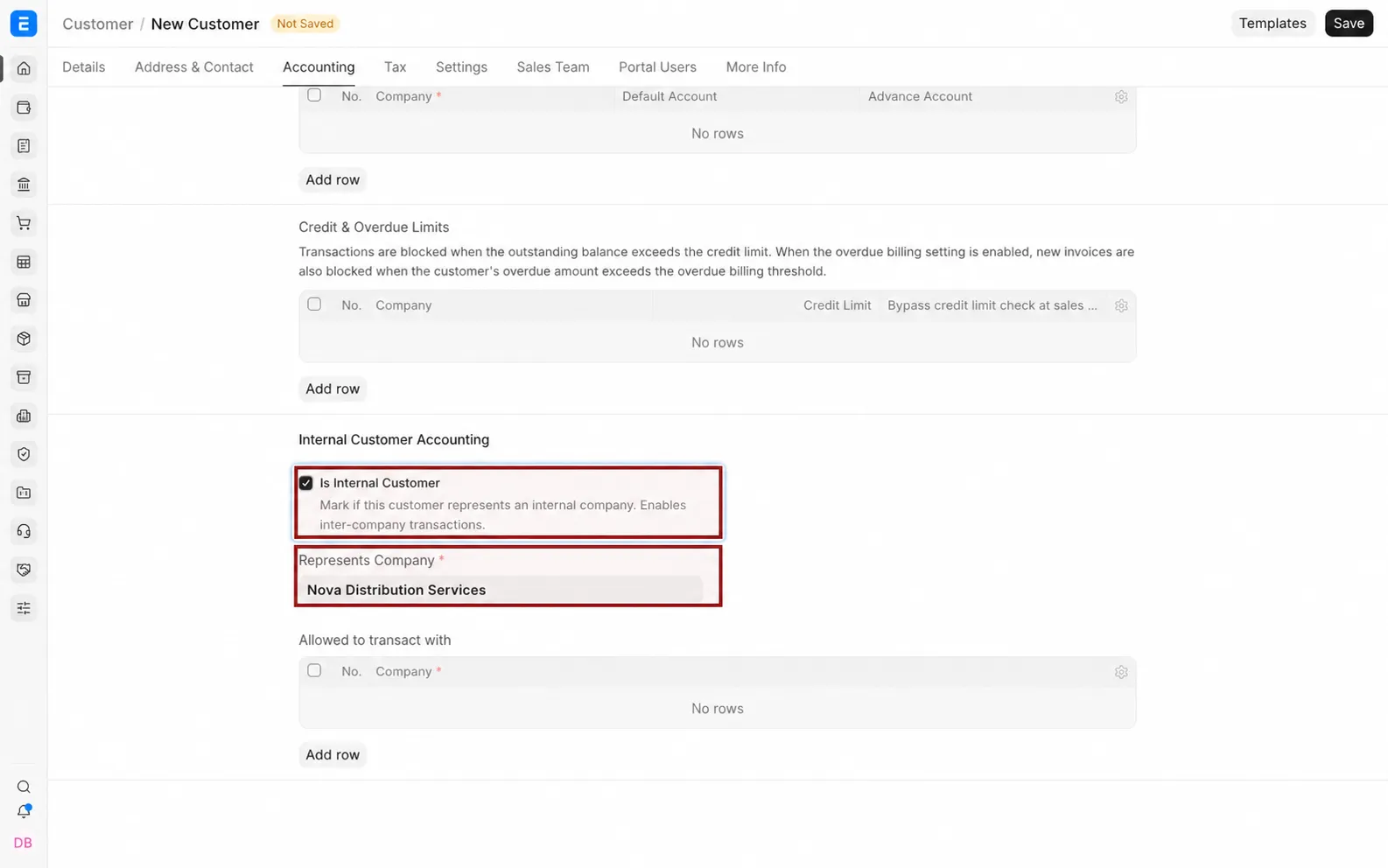
- Create a Customer for the Company that buys internally.
- Enable Is Internal Customer and select Represents Company.
- Create the reciprocal Supplier.
- Enable Is Internal Supplier and select the represented Company.
- Save both records.
Create the customer Sales Order#
- In the selling Company, create a Sales Order for the external Customer.
- Add the Items.
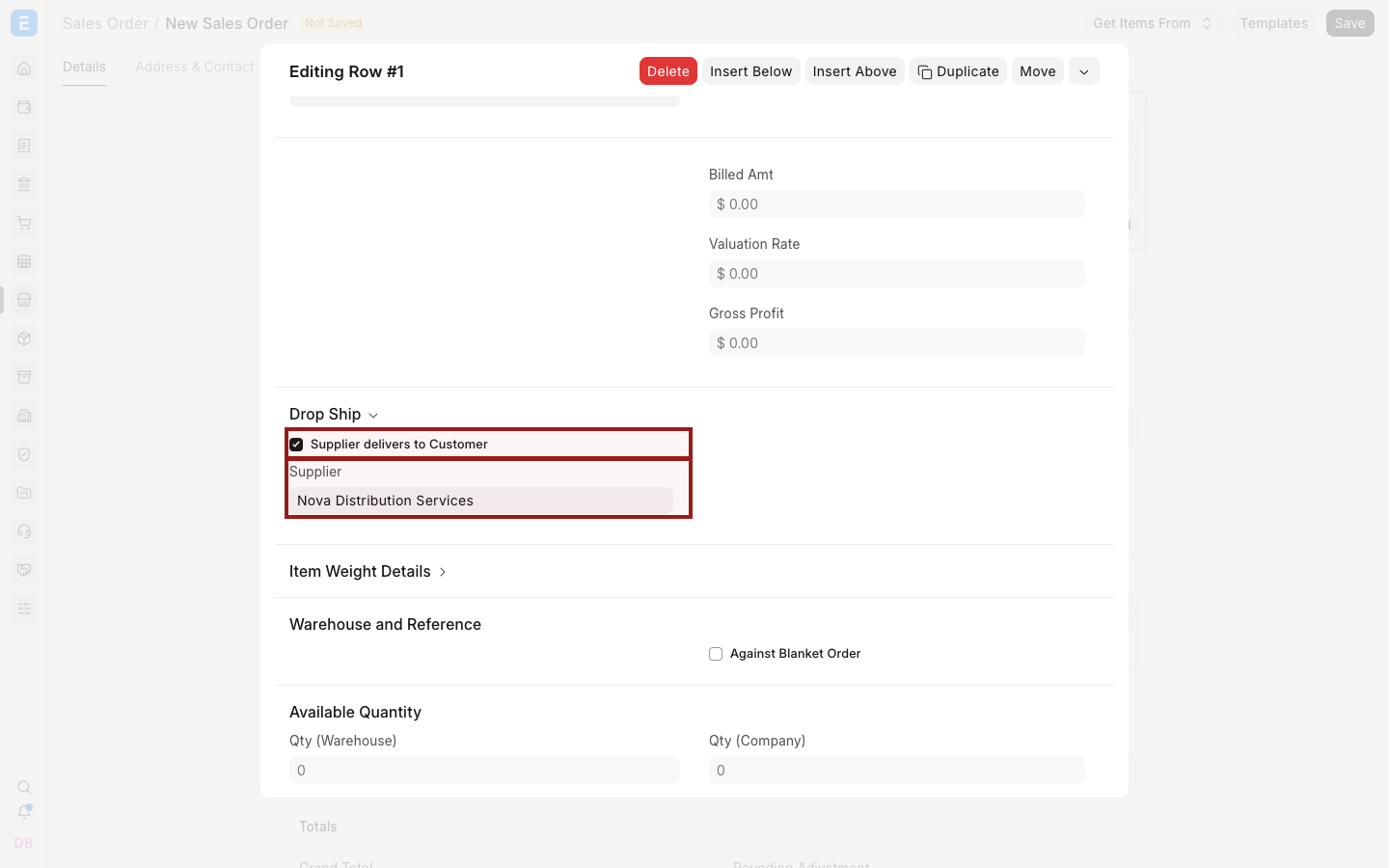
- Select the highlighted pencil icon to open the Item row.
- Enable Drop Ship for the row.
- Select the Supplier that represents the supplying subsidiary.
- Save and submit.
In a drop-ship flow, stock availability in the selling Company's Warehouse does not replace Supplier fulfilment planning.
Create the Purchase Order#
From the submitted Sales Order:
- Select Create > Purchase Order.
- Choose the internal Supplier.
- Review the mapped external Customer delivery address and Items.
- Confirm the buying Company, schedule dates, rates, taxes, and terms.
- Save and submit.
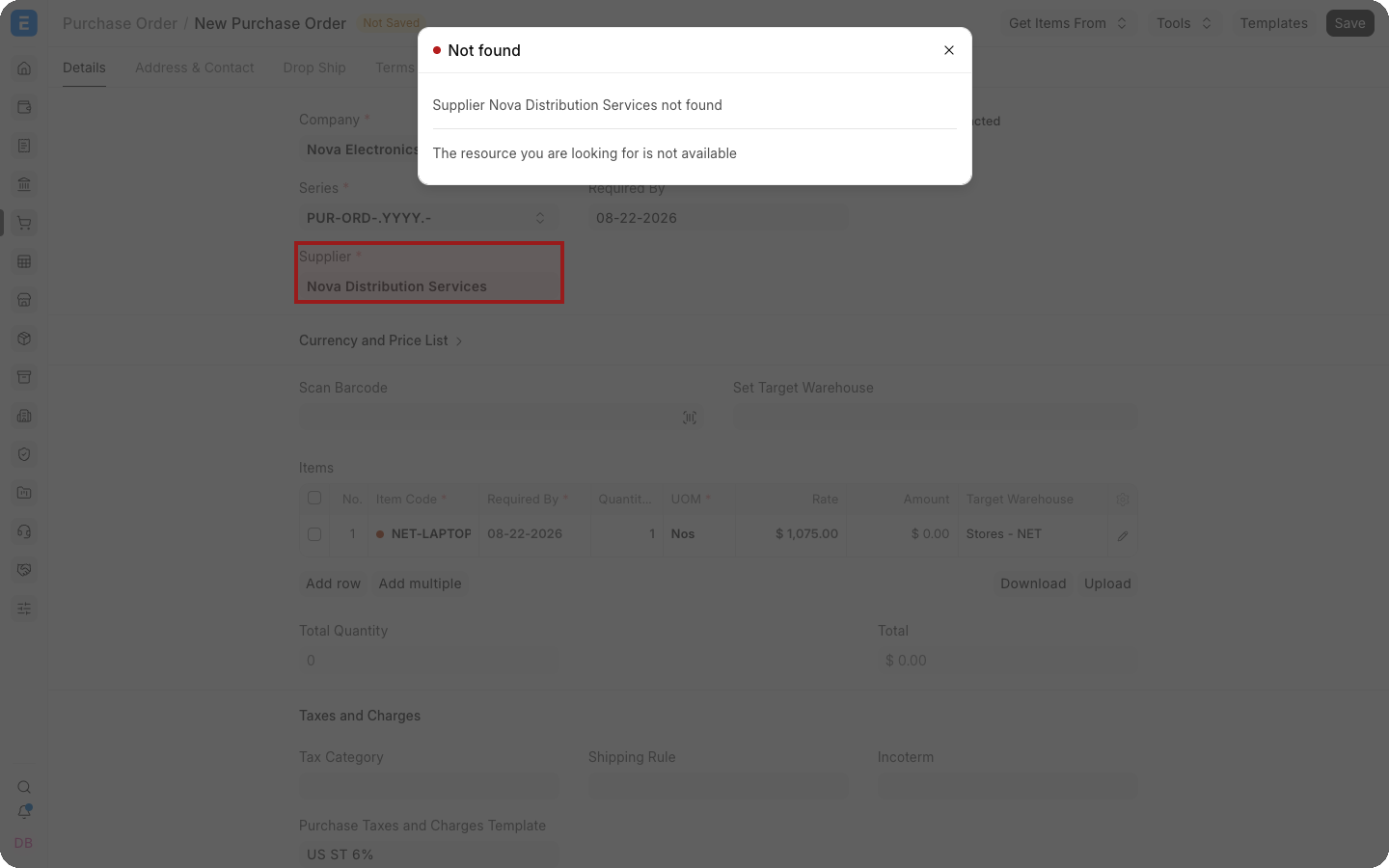
The Purchase Order instructs the supplying subsidiary to deliver directly to the external Customer.
Complete the inter-company documents#
Create the corresponding internal sales and purchase invoices according to your inter-company transaction process. Then invoice the external Customer from the selling Company.
Keep these relationships clear:
| Relationship | Document |
|---|---|
| External Customer owes selling Company | External Sales Invoice |
| Selling Company owes supplying subsidiary | Internal Purchase Invoice |
| Supplying subsidiary bills selling Company | Internal Sales Invoice |
Tax and transfer-pricing requirements vary by jurisdiction. Configure them with qualified accounting advice.
Troubleshooting#
| Problem | What to check |
|---|---|
| Internal Supplier cannot be selected | Confirm Is Internal Supplier, Represents Company, permissions, and disabled status |
| Purchase Order uses the wrong Company | Review the internal party relationship and mapped Company |
| Customer address is missing | Confirm the Sales Order shipping address and drop-ship row |
| Inter-company invoice is not generated | Review reciprocal Customer and Supplier masters and inter-company settings |
| Stock is moved in the selling Company | Confirm that the Item row uses Drop Ship and that no Delivery Note was created for that stock |
Frequently asked questions#
Does the selling Company receive the goods?#
No. In the intended drop-ship flow, the Supplier delivers directly to the external Customer.
Are inter-company invoices still required?#
Yes. The Companies remain separate accounting entities even though they share an EnigmaERP site.
Can only selected lines be drop shipped?#
Yes. Configure Drop Ship at the Item-row level and plan the remaining lines through the normal warehouse flow.
Does EnigmaERP determine legal transfer prices?#
No. Configure internal rates and taxes according to your organization's policy and applicable law.