Edit Export/Print permissions for reports
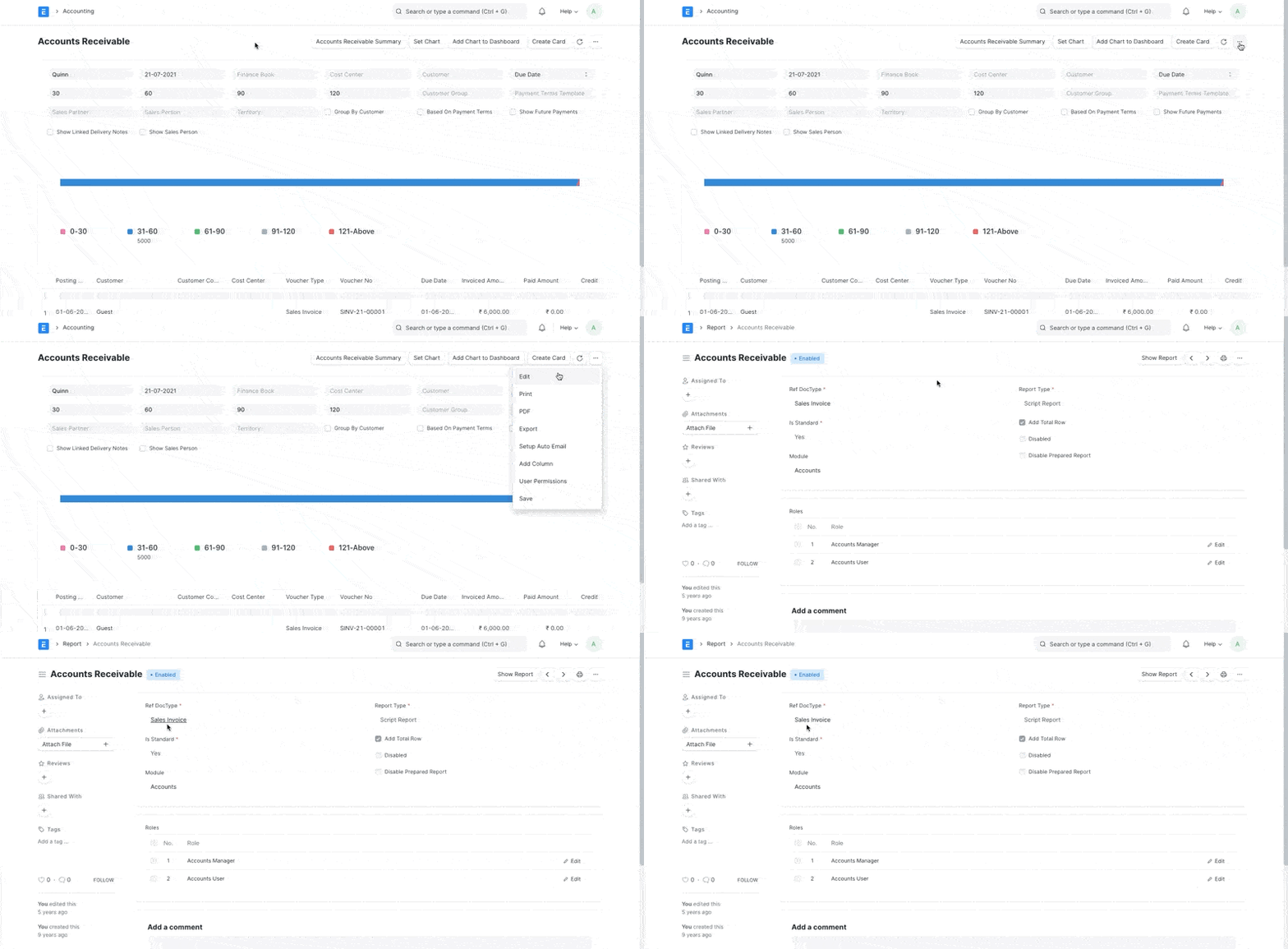
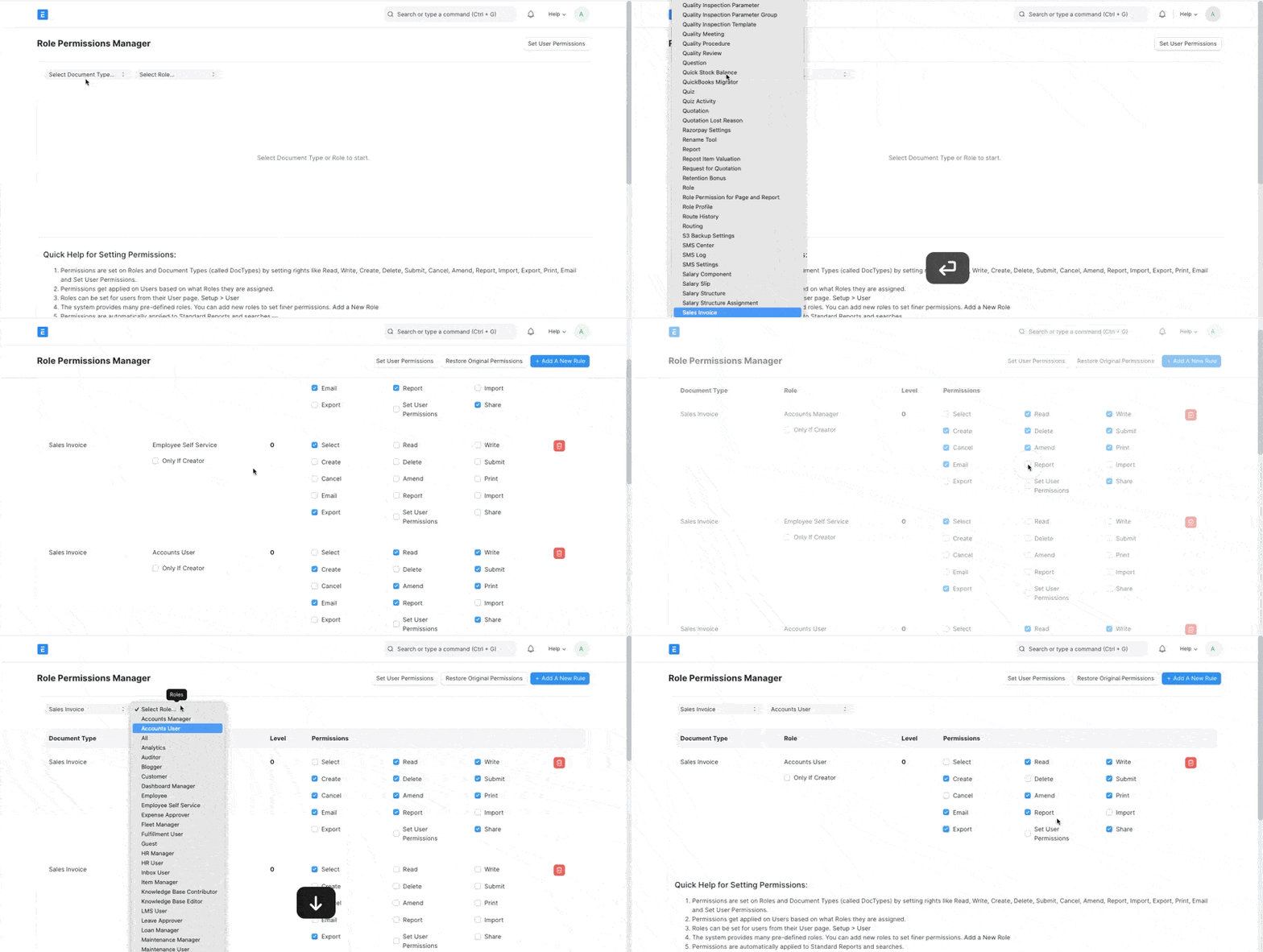
To handle Export/Print permissions for a report, use Role Permission Manager of the DocType the report is created from.
Step 1:#
Find out from which Document Type the Report is generated from
Step 2:#
Go to Role Permission Manager, filter using the same Document Type (Sales Invoice in our example) and edit the permissions based on Roles
Adapted for EnigmaERP from the ERPNext documentation,
© Frappe Technologies Pvt. Ltd. Content licensed under
CC-BY-SA 3.0.
EnigmaERP is a product of Enigma and is not
affiliated with or endorsed by Frappe Technologies Pvt. Ltd.