Project Template
A Project Template is a predefined sequence of tasks arranged in stipulated schedule.
These templates can be pulled for similar kind of Projects and the tasks therein get auto-populated at the time of creation of each new project.
To access Project Template, go to:
Home > Projects > Projects > Project Template
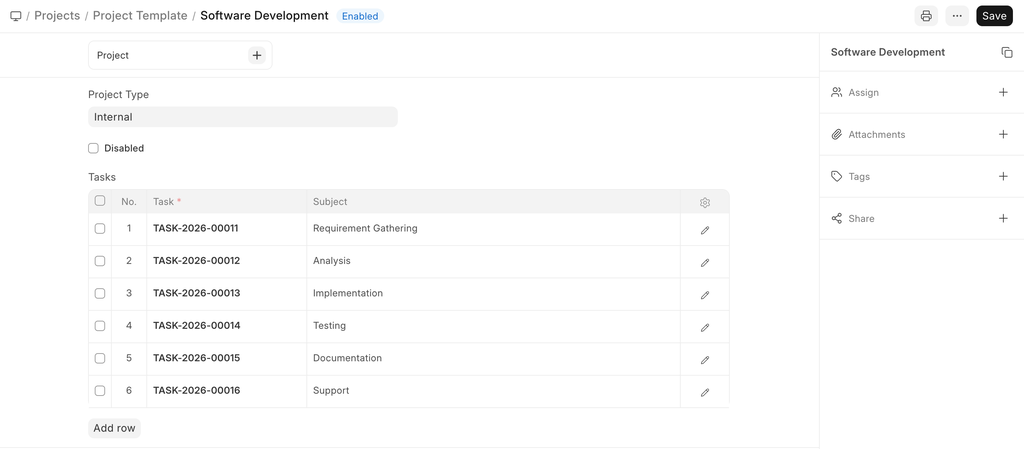
How to Create A New Project Template:#
- Go to the Project Template List and click on New.
-
Add the following details:
-
Project Template Name: Title of the Project Template
- Project Type: Project Templates, just like projects can be classified into different project types, e.g., Internal or External.
- Tasks: Each Project Template will have a set of a predefined sequence of tasks. In this table, you can select the tasks you want for this template.
Related Topics#
Adapted for EnigmaERP from the ERPNext documentation,
© Frappe Technologies Pvt. Ltd. Content licensed under
CC-BY-SA 3.0.
EnigmaERP is a product of Enigma and is not
affiliated with or endorsed by Frappe Technologies Pvt. Ltd.