Why any of the Field Ignoring User Permissions?
In some cases, the Custodian field may ignore user permissions and allow users to access values that they should not see.
This usually happens because the Ignore User Permissions option is enabled for the field.
Steps to Fix
-
Go to Customize Form
-
Open Customize Form from the search bar.
-
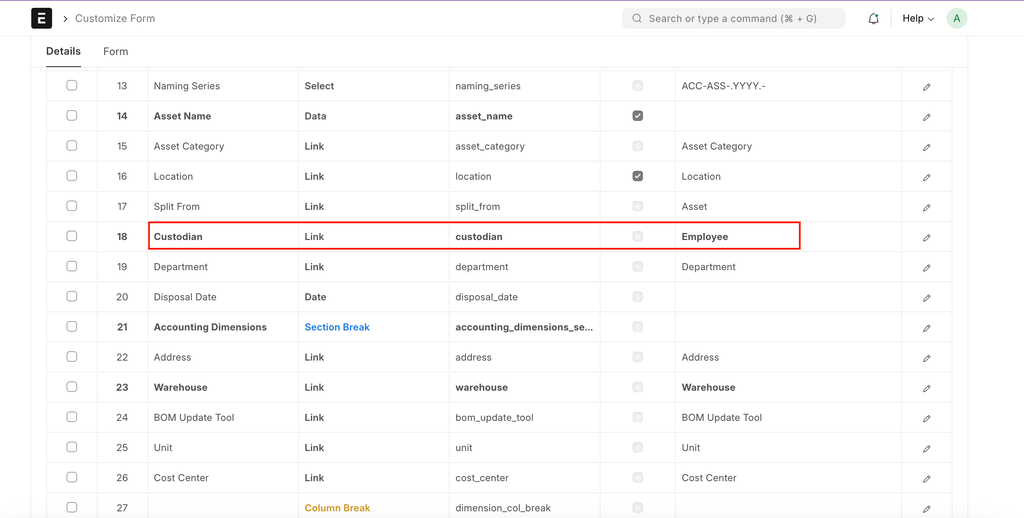
In the customize form, select the Doctype where the field exists (e.g.,The custodian field exists in the Asset Doctype)
-
Locate the Custodian Field
- Search for Custodian in the field name column.
-
Click on the Custodian field to expand the properties.
-
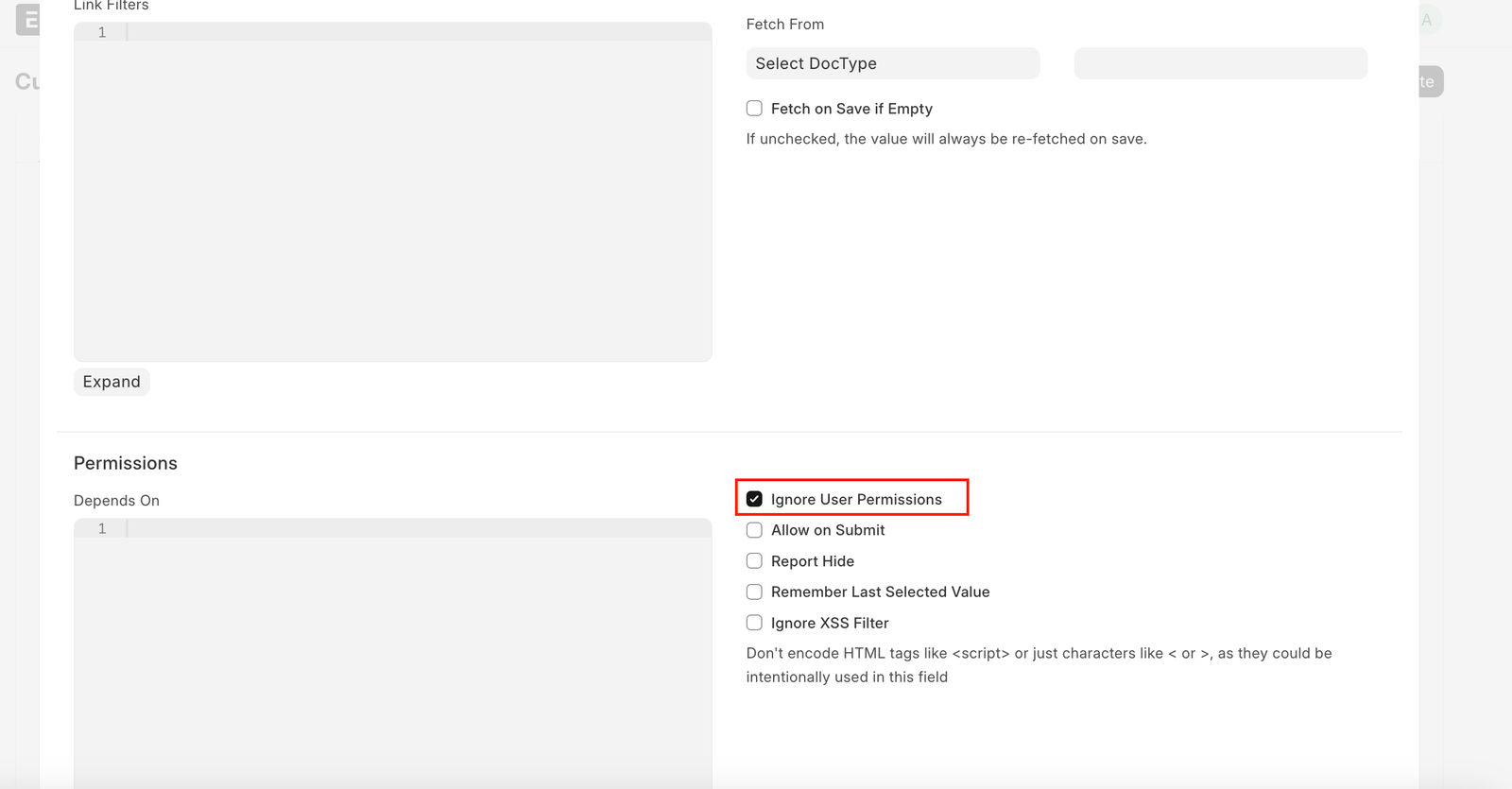
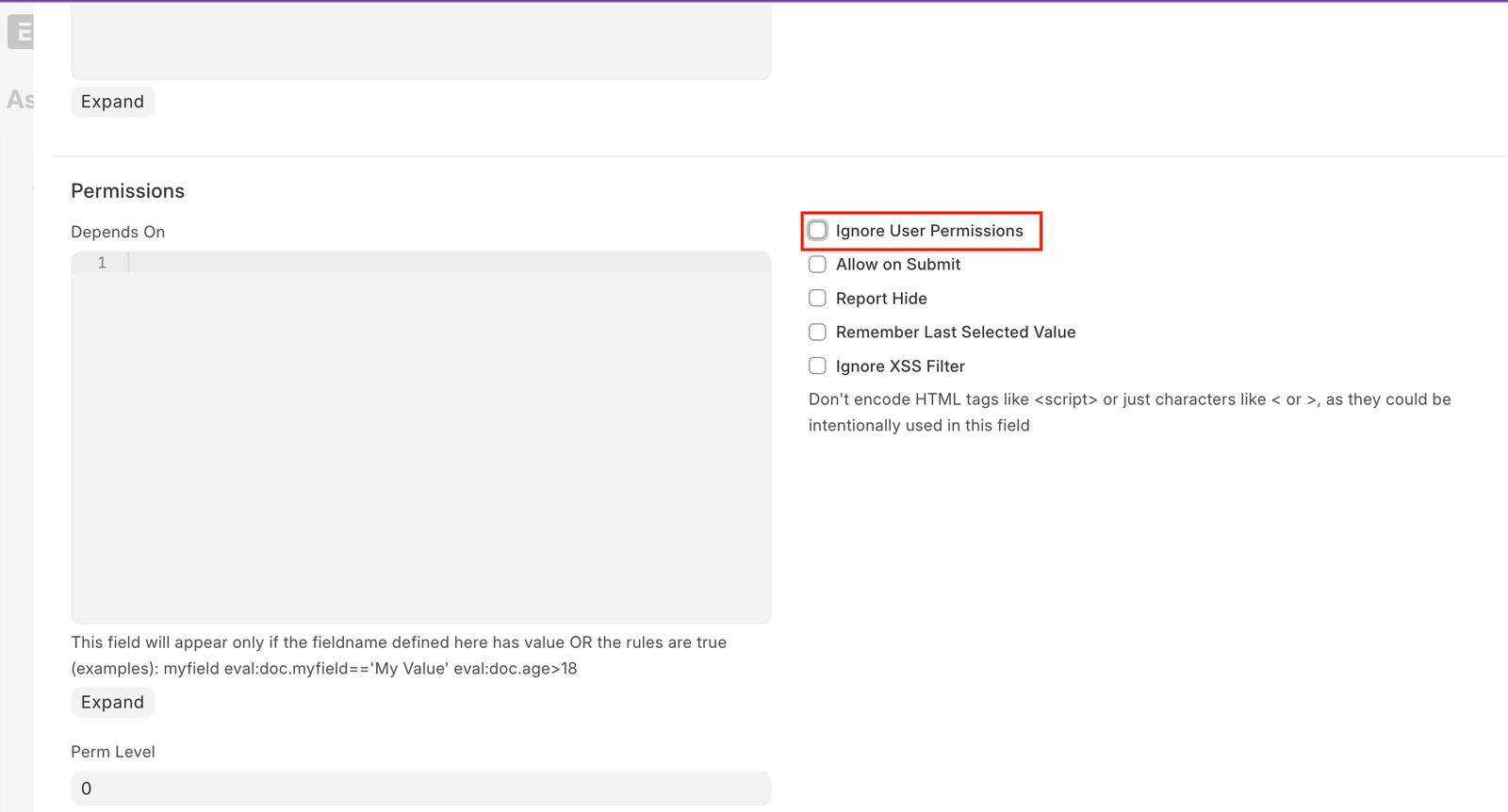
Disable Ignore User Permissions
- If the checkbox is enabled, uncheck it.
-
Click Save.
-
Reload and Verify
-
Reload the page.
- Test with a user who has restricted permissions.
- The Custodian field will now respect user permissions.
Adapted for EnigmaERP from the ERPNext documentation,
© Frappe Technologies Pvt. Ltd. Content licensed under
CC-BY-SA 3.0.
EnigmaERP is a product of Enigma and is not
affiliated with or endorsed by Frappe Technologies Pvt. Ltd.