2 Step 301 Redirect in your EnigmaERP Website
What is 301 Redirect?
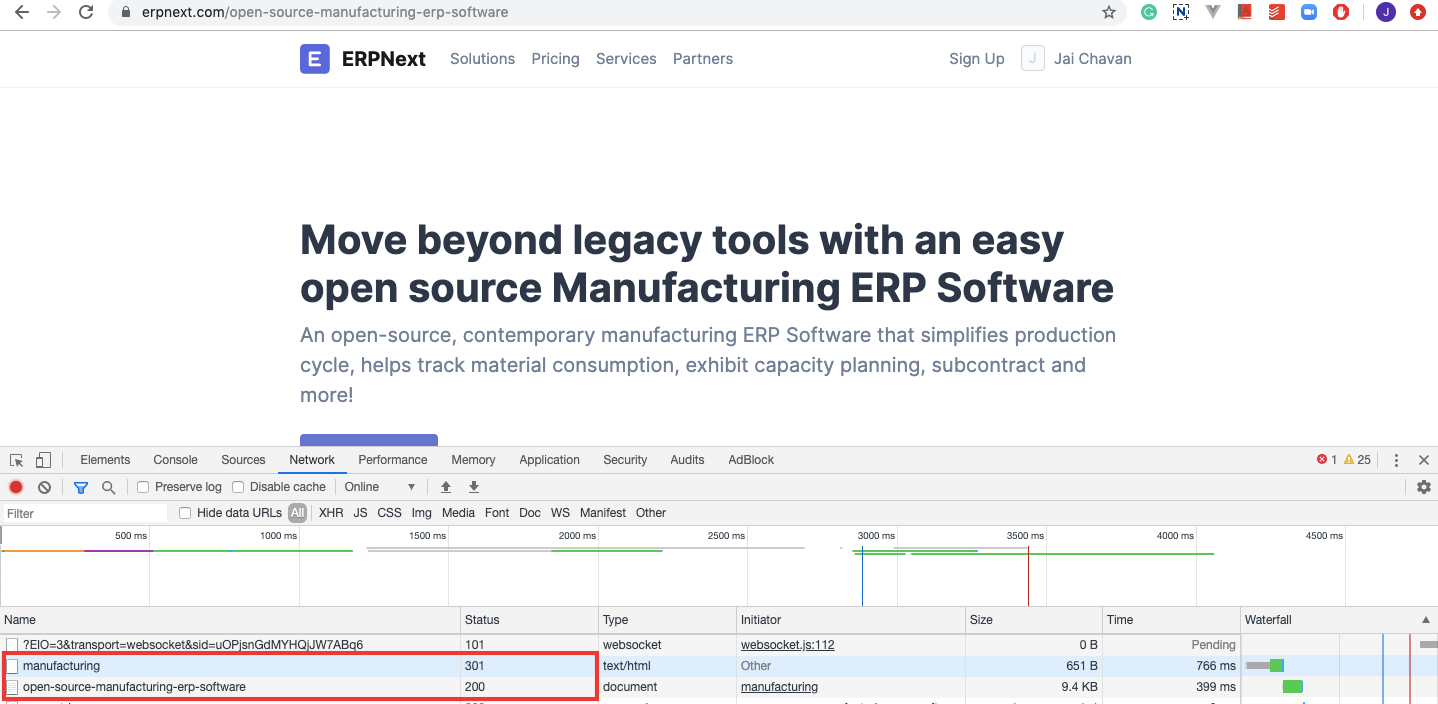
A 301 Redirect is used to make sure that search engines and users are sent to the correct page. A 301 status code is used when any page has been permanently moved to another location. Users will now see the new URL as it has replaced the old page.
2 Step 301 Redirects with EnigmaERP:
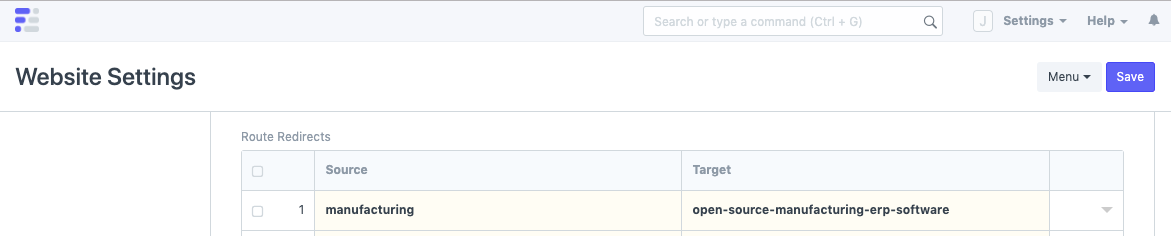
Step 1: Open Website Settings via the awesome bar (Global Search Bar) and expand the heading, "Redirects"
 Step 2: Enter the old URL in Source and the new URL in Target and save the document.
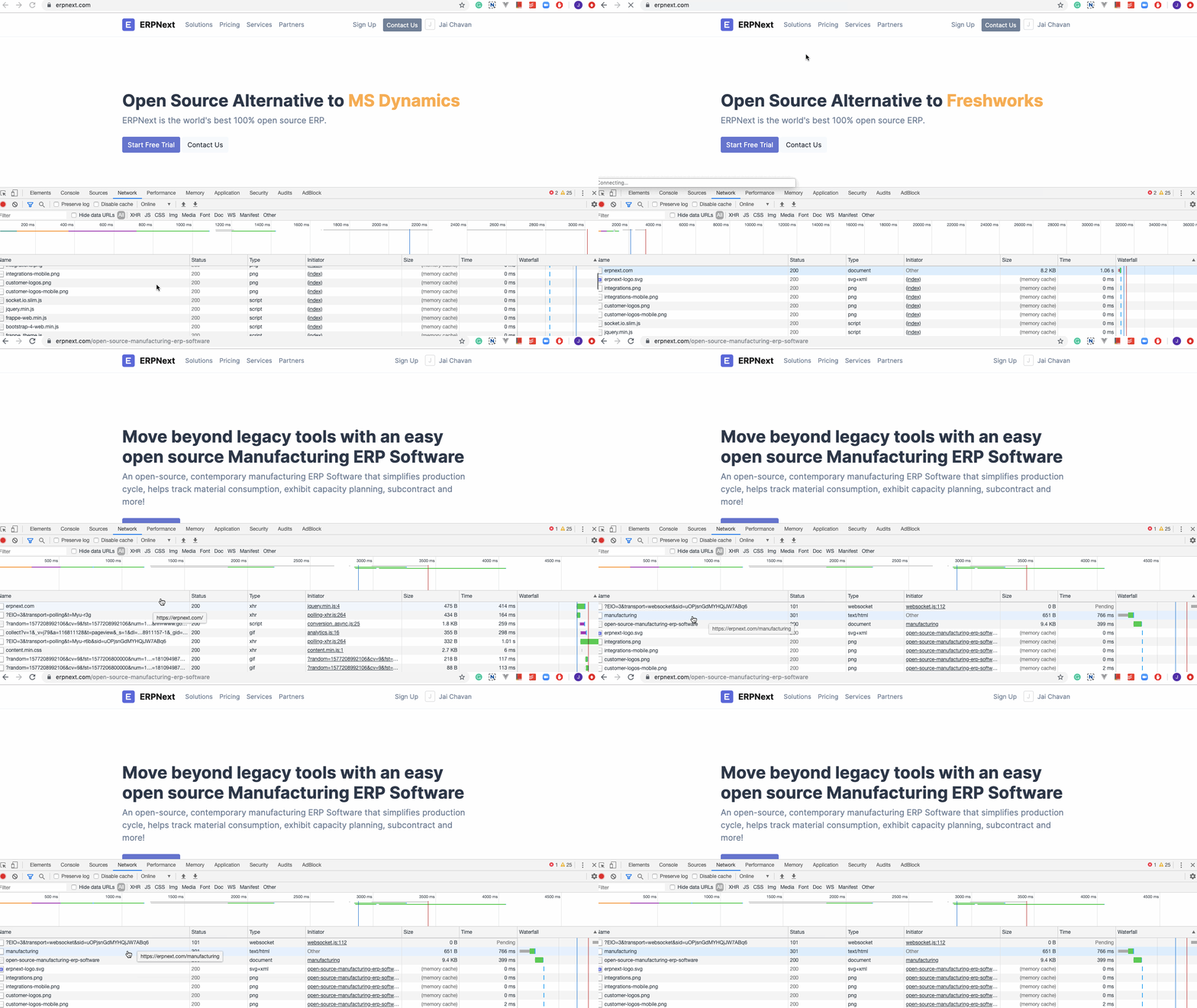
 Watch the Redirect in action:
Adapted for EnigmaERP from the ERPNext documentation,
© Frappe Technologies Pvt. Ltd. Content licensed under
CC-BY-SA 3.0.
EnigmaERP is a product of Enigma and is not
affiliated with or endorsed by Frappe Technologies Pvt. Ltd.