Disable Signup on EnigmaERP Website
EnigmaERP has portal feature available which allows third parties like Customers and Suppliers sign, place new orders and track updates on the previous orders.
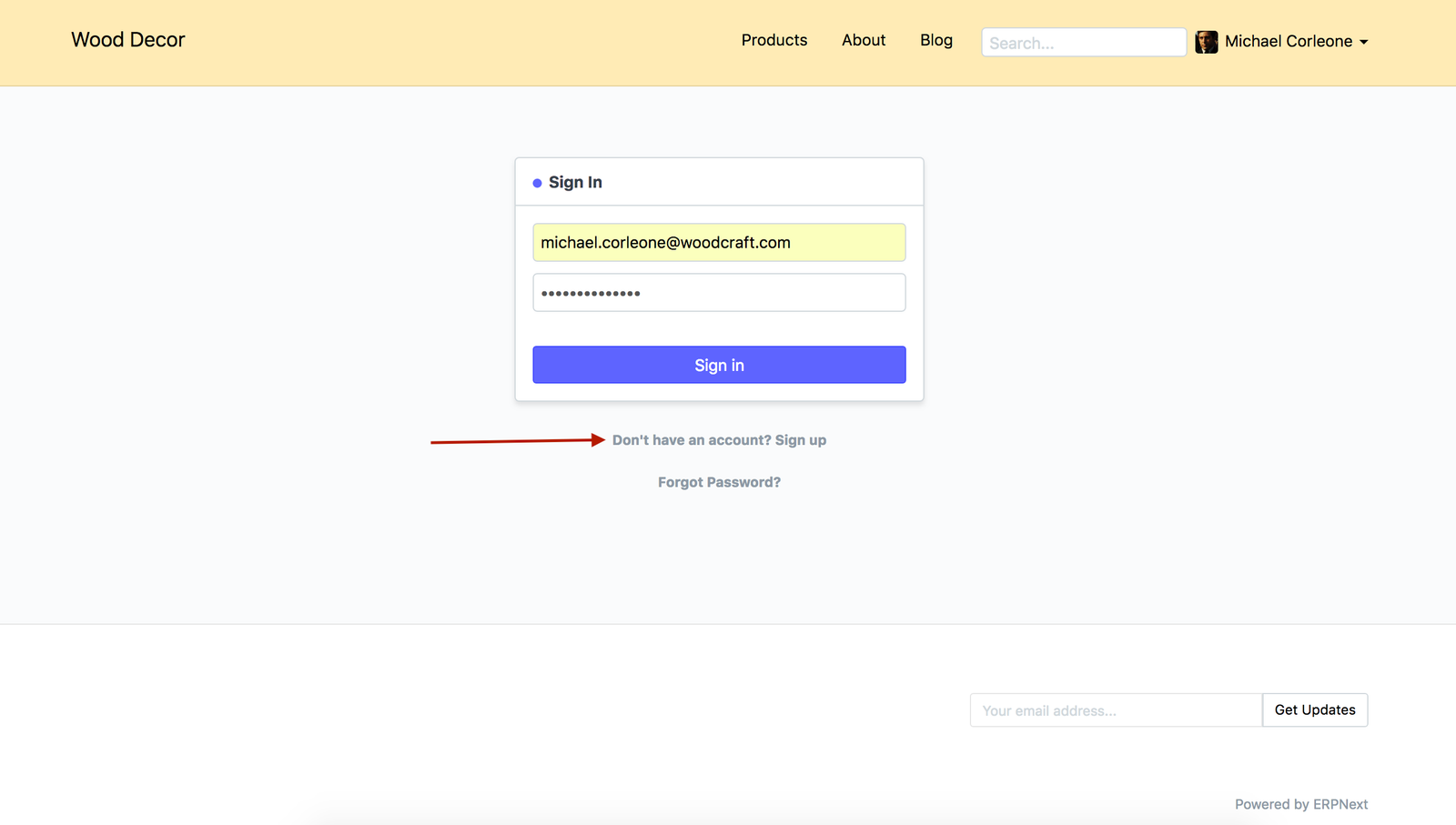
To allow new Customer and Supplier to Signup, the login page of your EnigmaERP account has Signup link avaiable. However, if you wish to disbale this feature, you can achieve it by following the steps given below.
Steps#
- Go To
Website > Setup > Website Settings `
-
In the Website Settings page, scroll down upto
More Informationsection. -
Check fied
Disable Signup.
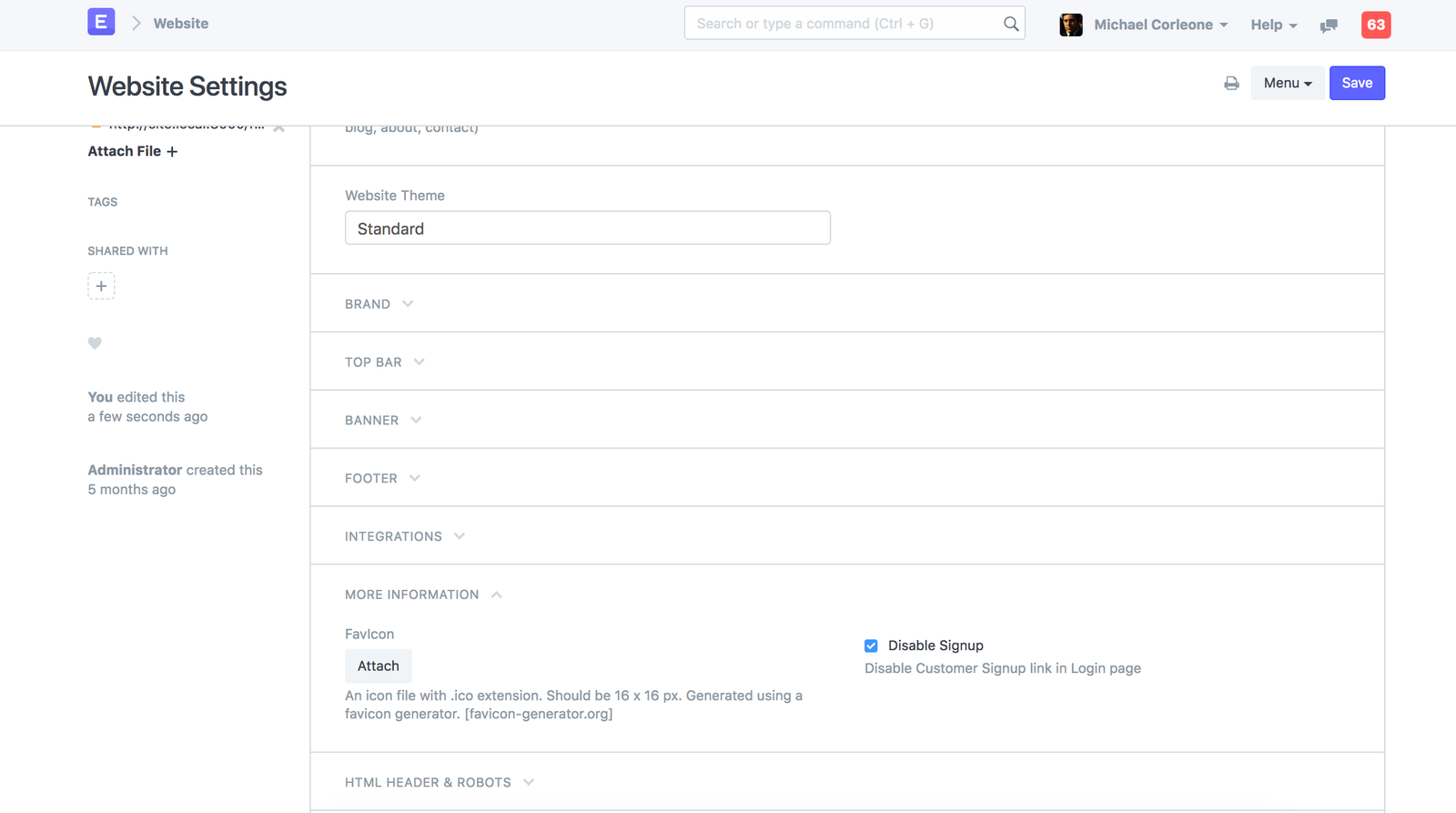
- Save Website Settings.
Adapted for EnigmaERP from the ERPNext documentation,
© Frappe Technologies Pvt. Ltd. Content licensed under
CC-BY-SA 3.0.
EnigmaERP is a product of Enigma and is not
affiliated with or endorsed by Frappe Technologies Pvt. Ltd.