Document Versioning
In EnigmaERP, Document Versioning is a feature that allows you to track all the changes made in a form or a document.
This feature comes handy while conducting an Audit Tail to check on what changes were made in a document along with the time of change and the stakeholder responsible.
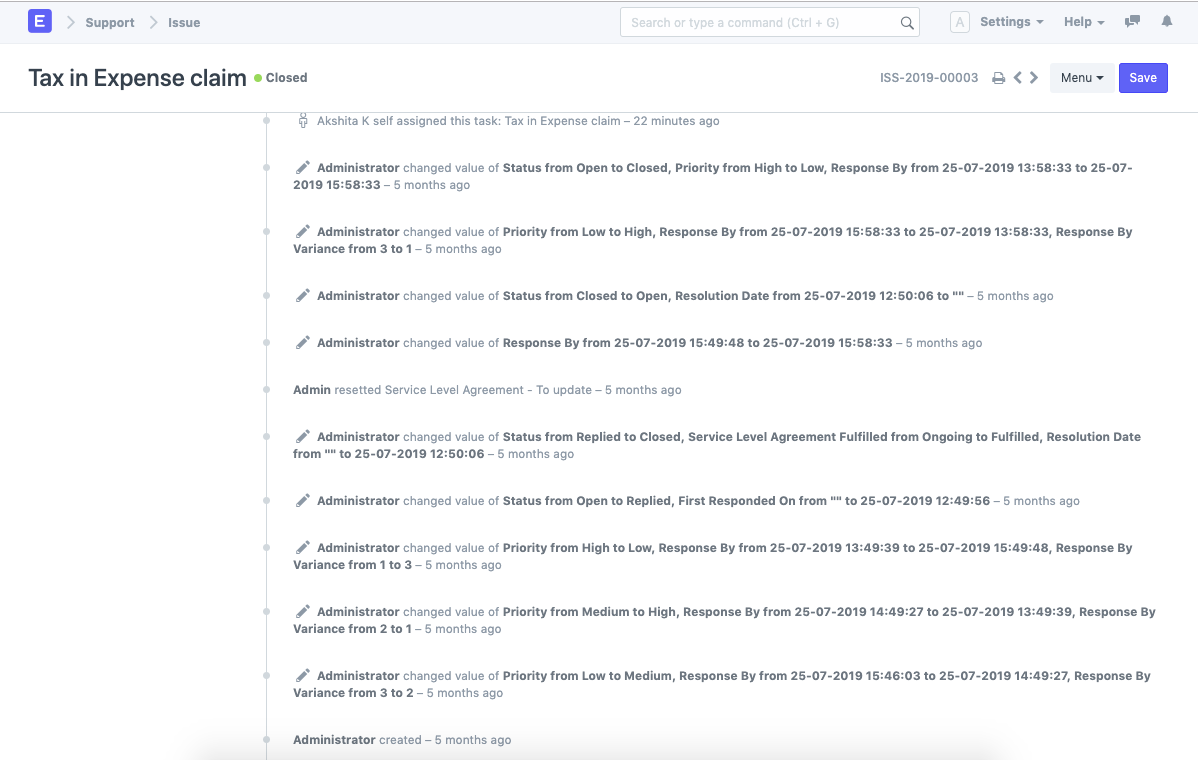
How to Enable Document Versioning#
Let's assume that we need to enable Document Versioning for Purchase Order.
- Go to Purchase Order List.
- Click on Customize from the drop-down menu.
- You shall be directed to the Customize Form page for Purchase Order.
- Check the field "Track changes" in the Properties.
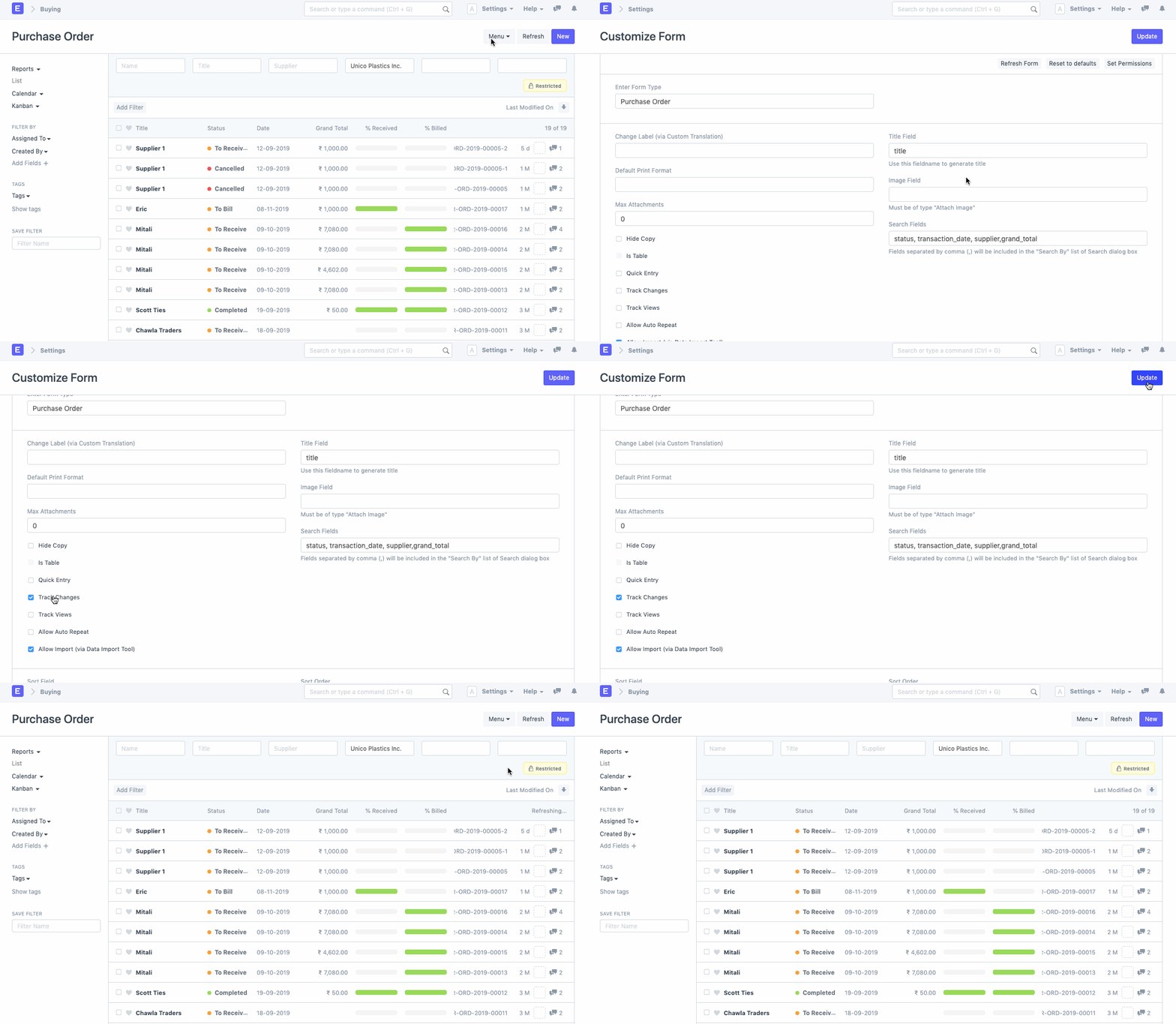
With this, Document Versioning shall be enabled for all the Purchase Orders edited henceforth.
Version Log#
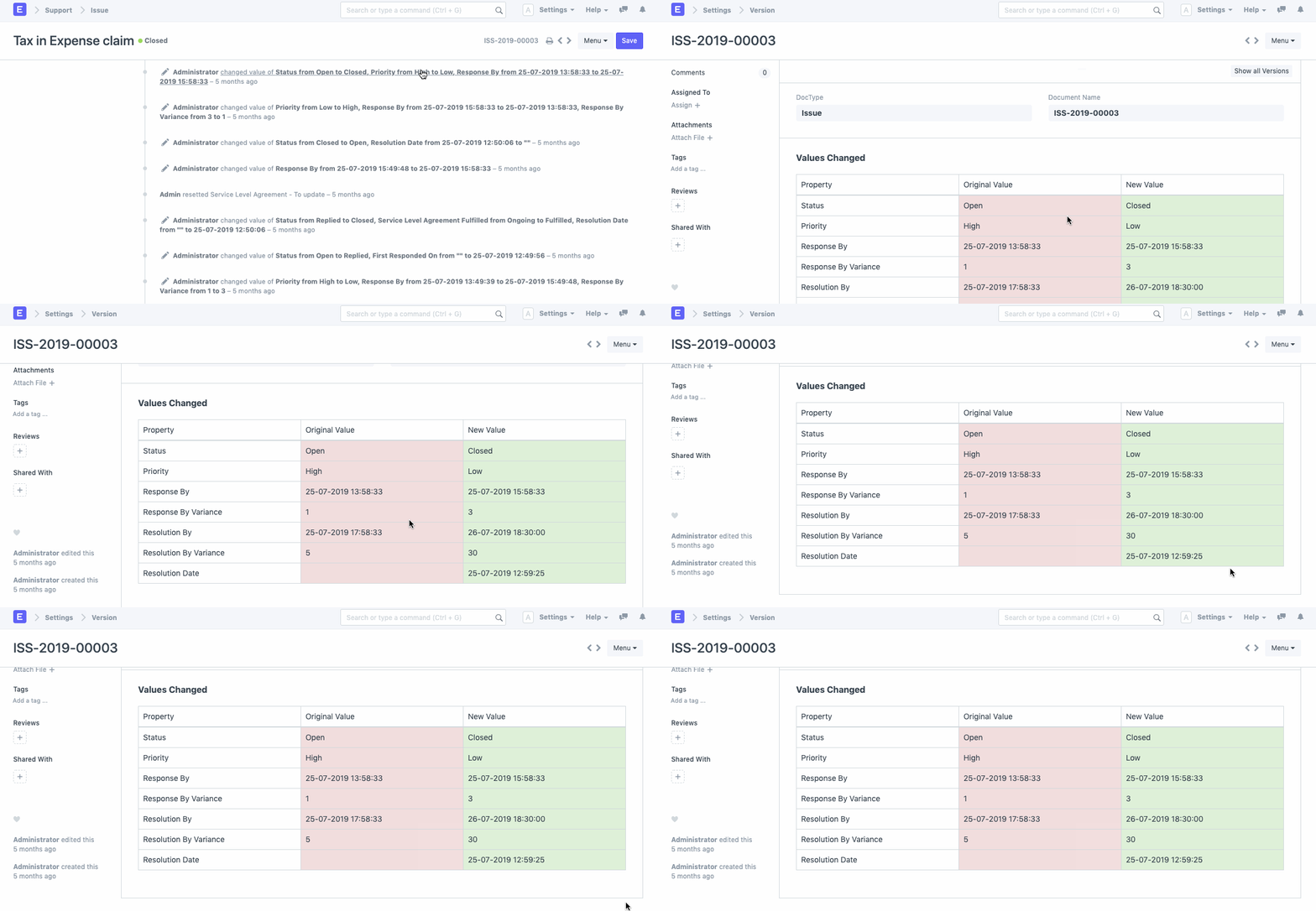
For each document that has Document Versioning enabled, a Version Log is created. Herein, there will be links to specific versions of the document.
When you click on these links, you will be directed to a log of all the fields and the changes made therein.
Adapted for EnigmaERP from the ERPNext documentation,
© Frappe Technologies Pvt. Ltd. Content licensed under
CC-BY-SA 3.0.
EnigmaERP is a product of Enigma and is not
affiliated with or endorsed by Frappe Technologies Pvt. Ltd.